How to select the Best Data Recovery Software online
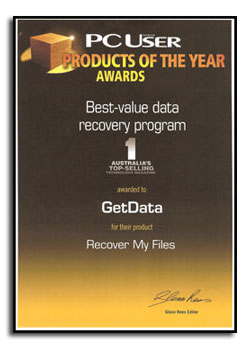
The best data recovery software has a full set of features, is simple enough for the beginner to use, and most importantly it is very good at recovering deleted files. It comes from a data recovery company that stands behind their product with strong customer support.
The Best Data Recovery Software has versatility
It can:
- Recover from FAT, FAT32, NTFS and HFS file systems;
- Recover files deleted from the recycle bin;
- Recover RAW, Unallocated, Corrupt or Formatted hard disk;
- Carves lost files when the File System is missing, damaged or corrupt; and
- Protects the problem disk from being written to.
The software upports a wide array of devices
This includes external drives, removable media, serial ATAs, SCSI drives, IDE drives, camera cards, thumb drives, USB drives, iPods etc.
The software is easy to use:
It does not matter how sophisticated the program is in the background, if you struggle to work out how to use the recovery software within 10 minutes, then chances are it is too complicated. A novice will easily install the program and quickly learn how to use it.
Data Recovery Effectiveness - How do I know it will work?
If it does not work - don't buy it! Don't buy data recovery software until you see the results, the actual content of the files not just the file names.
Data Recovery Capabilities
The best software is packed with features. It will allow you to sort by results by name, date, extension, size or in a gallery view. It will allow you to stop and restart a search and save and load search results. It will have a disk imaging program to enable you to create an identical copy of your drive.
Help and Documentation
Data is lost is many different ways. The best data recovery software will come with a comprehensive manual, FAQ, knowledge base, and customer support to give you the best possible chance to recovery your data.
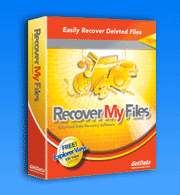
Download and try Recover My Files now free. We are confident that it will recover your files.